
UPI Safety: 7 Hidden Settings to Protect Your Money
Explore key UPI safety settings that strengthen digital payment security and protect your money. This concise guide highlights seven lesser-known features every user should enable for safer transactions.

Introduction
UPI Safety has become one of the biggest concerns for millions of digital payment users in India. With over 400 million people using UPI every month, the convenience of instant transfers is undeniable. But with great speed comes greater risk. Fraudsters are constantly inventing new ways to exploit unsuspecting users, from fake QR codes to fraudulent “collect requests.”
The numbers are alarming: in 2023 alone, India reported more than 95,000 UPI-related fraud cases, resulting in thousands of crores lost by everyday people. What’s even more worrying is that many of these scams succeed not because UPI itself is unsafe, but because users leave essential in-app safety settings disabled.
Here’s the truth: most people don’t know that UPI apps like PhonePe, Google Pay, and Paytm are equipped with hidden security settings designed to block fraud attempts. These features aren’t turned on automatically — you need to enable them. If ignored, you’re leaving your money exposed.
Think of it this way: using UPI without safety settings is like leaving your front door unlocked in a busy marketplace. You might get away with it a few times, but eventually, someone will take advantage. By taking a few minutes to set up these protective layers, you can make your UPI experience not just convenient, but also bulletproof against fraudsters.
Key Takeaways
- Hidden UPI settings are your silent bodyguards. They can block most fraud attempts before they even reach your bank account.
- Most users never check security menus. Convenience often overshadows caution, leaving critical safety switches turned off.
- Enabling these 7 safety tools transforms UPI. With just a few taps, you can ensure secure UPI payments, fraud-proof transactions, and peace of mind every time you send or receive money.
- Proactive beats reactive. Instead of waiting to be scammed, take action now and close the doors fraudsters rely on.
- UPI safety is not optional anymore. With rising fraud numbers, enabling these features is as important as locking your ATM PIN.
What is UPI Safety?
UPI Safety refers to the collection of security practices, app-level features, and personal precautions that ensure your Unified Payments Interface (UPI) transactions remain safe. Because UPI is directly linked to your bank account, even a single breach can cause instant financial loss — unlike wallets or prepaid accounts, where only limited funds may be at risk.
UPI was designed with multiple layers of security, including two-factor authentication (mobile number + UPI PIN) and real-time transaction monitoring. However, fraudsters are no longer just targeting the system — they’re targeting users. Simple mistakes like approving a fake payment request, ignoring suspicious SMS alerts, or sharing your UPI PIN can hand them direct access to your money.
To counter these risks, banks, the Reserve Bank of India (RBI), and the National Payments Corporation of India (NPCI) regularly introduce new UPI security protocols. These include transaction caps, mandatory SMS alerts, device binding, and stricter fraud monitoring. But here’s the catch — most of these measures require users to enable or fine-tune them inside their UPI app.
Think of UPI safety as a seatbelt in your car. The car (UPI system) already comes with airbags and crumple zones (RBI regulations, NPCI controls), but unless you buckle up (enable in-app safety features), your protection isn’t complete.
By taking a few extra steps — such as activating app locks, limiting daily transfer amounts, and hiding your UPI ID from public view — you can drastically reduce the chances of becoming a victim of fraud. In fact, cybersecurity experts estimate that over 70% of UPI fraud cases could have been prevented if users had activated these hidden safety measures.
Why UPI Safety Matters
UPI today handles more than ₹20 lakh crore in transactions every month (RBI data). To put that in perspective, the monthly UPI transaction volume is larger than the annual GDP of several countries. This massive scale makes UPI not just India’s most popular digital payment platform, but also the number one hunting ground for fraudsters.
Cybercriminals are no longer relying only on brute-force hacking. Instead, they use psychological tricks and technical loopholes to trick users into giving up access. Some of the most common scams include:
- Phishing links: Fraudsters send you a message with a link that looks like a UPI payment page. The moment you enter your details, your information is stolen.
- Fake collect requests: You get a payment request that looks like someone is “sending” you money. In reality, if you approve, you’re allowing them to withdraw money from your account.
- Remote access apps: Scammers trick you into installing apps that let them see your screen, read OTPs, and enter your UPI PIN remotely.
The Indian Cyber Crime Coordination Centre (I4C) reports that 95% of digital fraud complaints are linked to UPI misuse. These cases often start with small, unnoticed withdrawals and quickly escalate to larger amounts.
What makes UPI fraud especially dangerous is its instant settlement system. Unlike credit cards, where fraudulent charges can be disputed or reversed, UPI transfers move money in real-time. Once approved, the funds are gone, and recovery is extremely difficult.
This is why hidden UPI settings are not just “good-to-have” features — they are critical defenses. Enabling these settings can act as digital tripwires, alerting you before fraud occurs, blocking suspicious logins, or limiting how much money can be lost in a single day.good to know” — they’re essential survival tools for safe transactions.
UPI Safety: 7 Hidden Settings You Must Enable
Now let’s dive deep into the seven most effective yet hidden UPI settings that can protect your money.
1. Enable App Lock for Your UPI App
Most UPI apps allow you to set an extra app lock (PIN, fingerprint, or Face ID) in addition to your UPI PIN. Many users skip this step, leaving their app open to anyone holding their phone.
- How to enable it:
- PhonePe → Settings → Security → Enable App Lock.
- Google Pay → Security → Use Screen Lock.
- Paytm → Security Settings → App Password.
This ensures that even if your phone is stolen, nobody can open your UPI app without your biometric or PIN.
2. Activate Device Binding
UPI apps secretly rely on device binding — a setting that links your account only to your registered SIM card and device. If a fraudster tries logging in with your credentials on another phone, the system blocks access.
- Why it matters: Prevents SIM swap fraud and unauthorized device logins.
- Where to find: Usually under app setup or security options.
3. Limit Daily Transaction Amounts
UPI allows you to set your own spending limit lower than the default bank limit. For example, if your bank allows ₹1 lakh daily transfers, you can reduce it to ₹25,000.
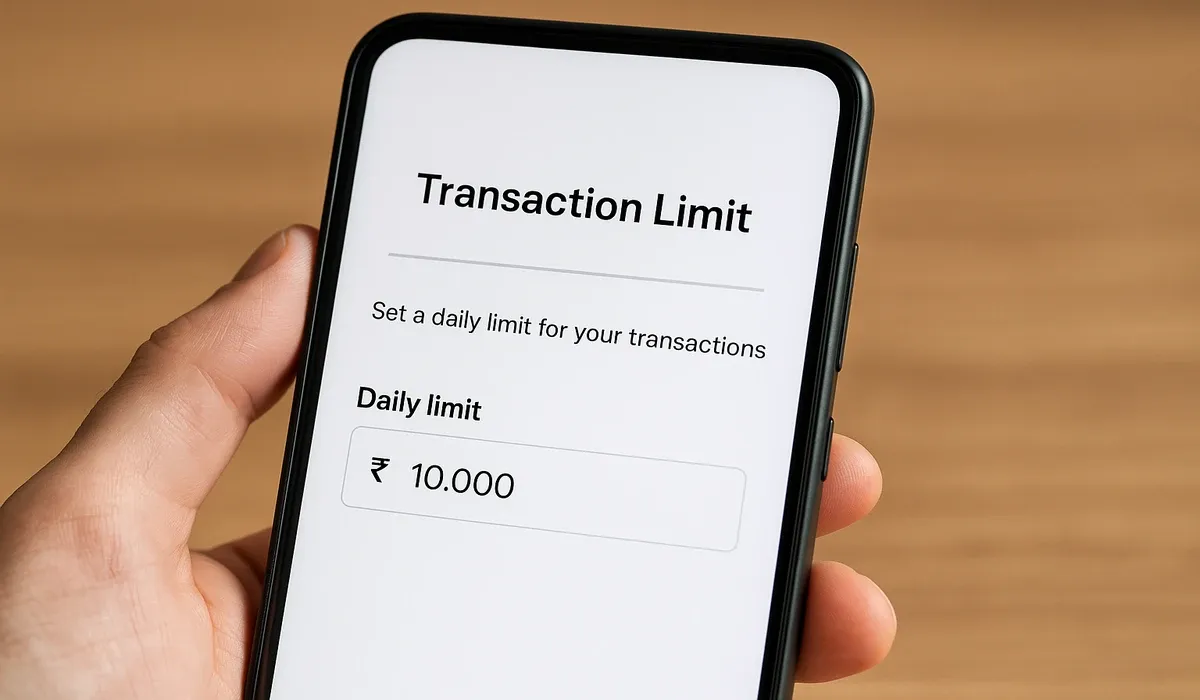
- Benefit: Even if your account is compromised, the damage is limited.
- Where to find: Profile → Payment Limits → Daily Transaction Limit.
4. Disable Auto-Debit for Subscriptions
Many fraudsters use auto-debit mandates to withdraw money unnoticed. Disabling unused auto-debits ensures your account isn’t silently drained.
- Steps:
- Go to “Mandates” in your UPI app.
- Cancel any inactive or suspicious standing instructions.
5. Turn On SMS & Push Notifications
Some users disable SMS alerts to reduce spam. But disabling them can hide fraud attempts. Always keep SMS and push notifications active for every UPI transaction.
- Extra Tip: RBI mandates banks to send alerts for each debit/credit — never switch them off.
6. Enable Transaction Authentication Delay
Some UPI apps allow a 30–60 second delay feature before approving high-value transfers. This pause can save you from accidentally approving fraudulent requests.
- Where to enable: Security → Transaction Verification → Delay Option.
7. Hide Your UPI ID from Public View
By default, your UPI ID can be visible to anyone who has your contact. Fraudsters often use random UPI IDs to send phishing requests.
- Fix: Switch visibility to “Contacts Only” in your app’s privacy settings.
- Result: Reduces unsolicited payment requests.
How to Secure UPI Payments Step-by-Step
- Update your UPI app monthly to patch new vulnerabilities.
- Always verify the sender’s name before approving requests.
- Use different UPI apps for personal and business expenses.
- Never share your UPI PIN — not even with bank staff.
- Check your bank statement weekly for suspicious activity.

Common Mistakes to Avoid
- Thinking OTP = Payment Approval (it isn’t — you need UPI PIN).
- Ignoring “collect requests” from unknown contacts.
- Using the same UPI PIN as your ATM card.
- Clicking payment links on WhatsApp/SMS.
Case Studies & Expert Insights
- RBI Report (2023): 52% of UPI frauds happened because users ignored app-level locks.
- NPCI Circular: Urges all banks to promote in-app spending limits.
- Cyber Crime Helpline (1930): Recorded 20,000 calls daily on UPI fraud attempts.
Experts say: “Fraudsters don’t hack banks — they hack human behavior. Enabling hidden safety settings creates a digital wall around your money.”

Future Trends & Predictions
- Biometric-first UPI: Soon, UPI PINs may be replaced by fingerprints/face scans.
- Geo-fencing transactions: Payments only valid inside India.
- Stronger AI-driven fraud detection (without user input).
- Voice-enabled UPI safety commands.
As UPI expands globally, safety will become the core feature, not just an option.
FAQs
What is UPI Safety?
UPI Safety refers to the hidden settings and practices that keep your digital payments secure from fraud.
How do I protect money on UPI?
Enable app locks, limit transaction amounts, and activate SMS alerts.
Can UPI apps be hacked?
Direct hacking is rare; most frauds happen through phishing and scams.
What hidden UPI settings should I enable?
App lock, device binding, spending limits, and visibility controls.
Is UPI safer than card payments?
Yes, if you enable UPI safety features, it is often safer.
Can fraudsters misuse my UPI ID?
Yes, they can send fake requests — hide your ID from strangers.
Does UPI Safety stop auto-debits?
Yes, disable unwanted mandates under “Mandates.
How do I prevent UPI scams?
Never click suspicious links; always use official apps.
What should I do if I lose money?
Immediately call 1930 and report to your bank.
Do all UPI apps have the same settings?
Most do, though names differ slightly (PhonePe, GPay, Paytm).
Can I set UPI daily transaction limits?
Yes, in app settings under “Payment Limits.”
Is UPI Safety mandatory?
No, but enabling these settings is strongly recommended.
Key Takeaways
- UPI Safety is about enabling hidden settings most people ignore.
- App locks and device binding are your first defense.
- Daily transaction limits reduce risk exposure.
- SMS alerts and authentication delays prevent scams.
- Always review mandates and hide your UPI ID.
Conclusion
In today’s fast-paced digital world, UPI Safety is no longer optional — it’s a necessity. With millions of transactions happening every single day, fraudsters are constantly testing new tricks to exploit even the smallest gaps in user behavior. What may seem like a harmless tap or a delayed notification can quickly turn into a costly mistake.

The good news? You hold the power to stop most of these fraud attempts before they even begin. By enabling just a few hidden UPI settings — from app locks and transaction limits to SMS alerts and ID privacy — you’re effectively building a security shield around your bank account.
Think of it this way: you wouldn’t leave your home unlocked, so why leave your UPI account unprotected? Each of these 7 hidden safety features is like an extra lock, ensuring that your hard-earned money stays where it belongs — with you.
Take action today: Open your UPI app, head to the security settings, and turn on every protective measure available. The few minutes you invest now could save you from losing thousands tomorrow.



