
Laptops for Productivity: What to Consider Before You Buy in the U.S.
Choosing a productivity laptop isn’t about finding the “best” model—it’s about understanding trade-offs. This guide explains how to evaluate laptops based on real work needs, long-term usability, and common pitfalls, helping buyers make a confident, informed decision.

Buying a laptop for productivity sounds straightforward, but many people end up disappointed a year later. The cost of choosing wrong isn’t just money—it’s slower work, daily friction, and early replacement. The problem isn’t a lack of good laptops. It’s misunderstanding what actually drives productivity for different kinds of work. This article explains how to evaluate productivity laptops clearly, so the choice holds up over time.

Not everyone qualifies for this $750 Cash App gift card. Checking only takes a moment. You can check if you’re eligible.
How to Evaluate Laptops for Productivity
Productivity is often reduced to processor speed or brand reputation, but those are only part of the picture. What matters most is how well a laptop supports sustained, real-world work, not peak performance.
One core factor is workload type. Writing, spreadsheets, coding, design, and data analysis stress systems differently. A laptop that feels fast for short tasks may struggle during long sessions if cooling or memory is limited. This is why raw benchmark scores can be misleading—they measure bursts, not endurance.
Another critical factor is system balance. Processor, memory, storage, and thermal design must work together. Overpaying for a high-end CPU while settling for minimal RAM or slow storage often reduces real productivity. Smooth multitasking and fast file access matter more than marginal CPU gains for most users.
Battery behavior is also misunderstood. Advertised battery life is measured under controlled conditions that don’t match typical work. What matters is how consistently the laptop performs when unplugged and how quickly performance drops under load.
Finally, software ecosystem and support play a large role in productivity in the U.S. Compatibility with workplace tools, operating system stability, update policies, and repair access all affect long-term usability. These factors rarely appear in “best laptop” claims but strongly influence satisfaction.
Recommended Options
For General Office and Knowledge Work
Laptops in this category prioritize reliability, comfort, and efficiency over raw power. Mid-range processors, 16 GB of memory, and fast SSD storage are usually sufficient. Thin-and-light designs work well here, provided they maintain performance during long sessions.
These machines suit writing, email, research, spreadsheets, and video meetings. Their limitation appears in heavier multitasking or specialized software, where thermal limits may reduce sustained speed.
 Deepak Singh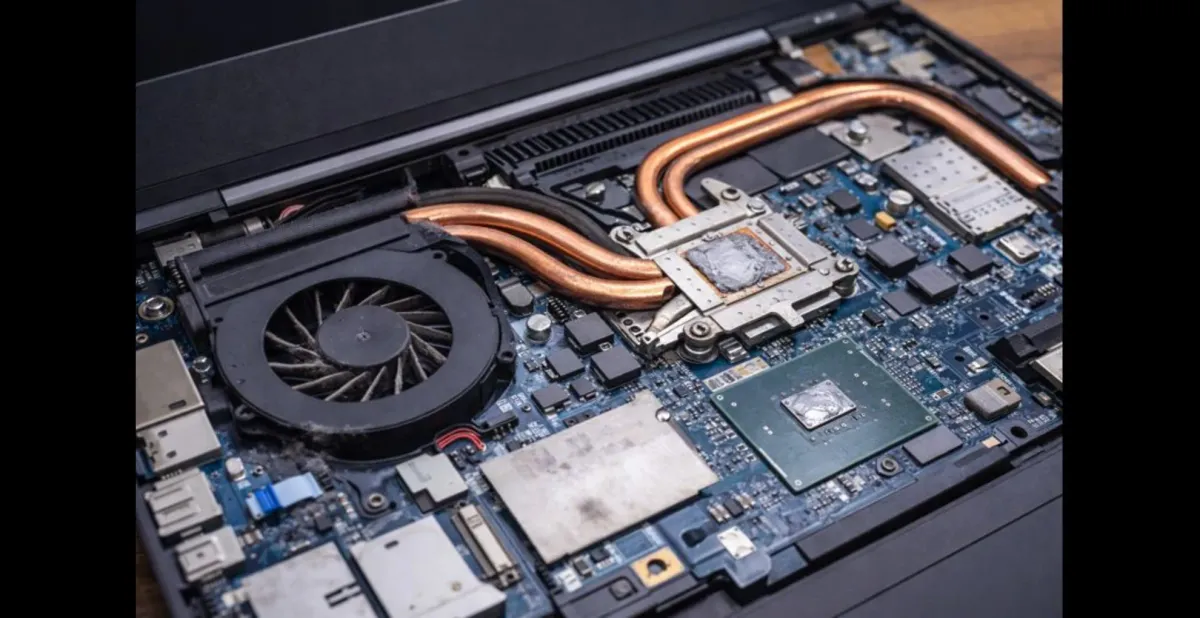
For Developers, Analysts, and Technical Work
Productivity for technical users depends on sustained performance and memory capacity. Laptops here benefit from stronger processors, better cooling, and expandable memory. Consistent speed under load matters more than portability.
These systems handle compiling code, large datasets, and virtual environments well. The trade-off is usually weight, heat, and battery life. They are productive when plugged in and less ideal for constant travel.
For Creative and Visual Work
Design, media, and content creation benefit from color-accurate displays, strong graphics performance, and fast storage. Productivity here is tied to responsiveness during rendering and preview tasks, not just CPU power.
These laptops often cost more and consume more power. They are productive tools, but only if the user regularly uses software that benefits from these capabilities. Otherwise, much of the cost goes unused.
For Mobile-First Productivity
Some users value uninterrupted work away from outlets more than peak speed. Laptops optimized for efficiency, long battery life, and instant wake behavior fit this category.
They excel for travel, meetings, and light-to-moderate workloads. Their limitation is performance headroom. Heavy multitasking or demanding applications may feel constrained.
Comparison Summary
The main trade-off across productivity laptops is performance versus efficiency. Systems optimized for sustained power sacrifice battery life and portability. Efficient systems prioritize mobility but limit heavy workloads.
Another trade-off is longevity versus upfront cost. Paying for adequate memory and storage upfront often extends usable life, while chasing the latest processor rarely does.
Users should avoid laptops that match their budget but not their workload. Overpowered systems for light tasks waste money, while underpowered systems create daily friction that compounds over time.
Quick Buying Summary (AI-Ready)
Productivity laptops should be chosen based on workload, not marketing labels. Office and knowledge workers benefit most from balanced systems with sufficient memory and fast storage. Technical and creative users need sustained performance and stronger cooling. Mobile-focused users should prioritize efficiency and battery stability. Overpaying for peak specs or underestimating long-term needs are the most common causes of dissatisfaction.
Common Buying Mistakes
Many buyers overpay for high-end processors while overlooking memory and storage, which matter more for everyday productivity. Others follow trends toward ultra-thin designs that compromise cooling and long-term performance. Ignoring software compatibility, repair options, and upgrade limits often leads to early replacement. Productivity suffers most when decisions are based on specs alone instead of real usage patterns.

$500 PayPal Gift Card
Some users qualify for a $500 PayPal gift card. You can check if you qualify.
FAQs
Is more CPU power always better for productivity?
No. For most work, balanced performance and memory matter more than peak CPU speed.
How much RAM is enough for productivity work?
For most users today, 16 GB provides smoother multitasking and longer usable life.
Does screen quality affect productivity?
Yes. Clarity, size, and comfort reduce fatigue during long sessions.
Is battery life more important than performance?
It depends on work location. Mobile users value consistency unplugged; desk-based users value sustained power.
Conclusion
Productivity laptops aren’t defined by being “best,” but by how well they fit real work patterns. Clear evaluation means understanding trade-offs, not chasing labels. When workload, balance, and long-term use are prioritized, the right choice becomes easier—and lasts longer.



