
AI Tools That Auto-Create Social Thumbnails That Work
Discover the best AI tools that auto-create social thumbnails that work, helping marketers boost clicks, streamline design workflows, and maintain consistent branding with minimal effort. This guide highlights practical features, real use cases, and performance benefits.
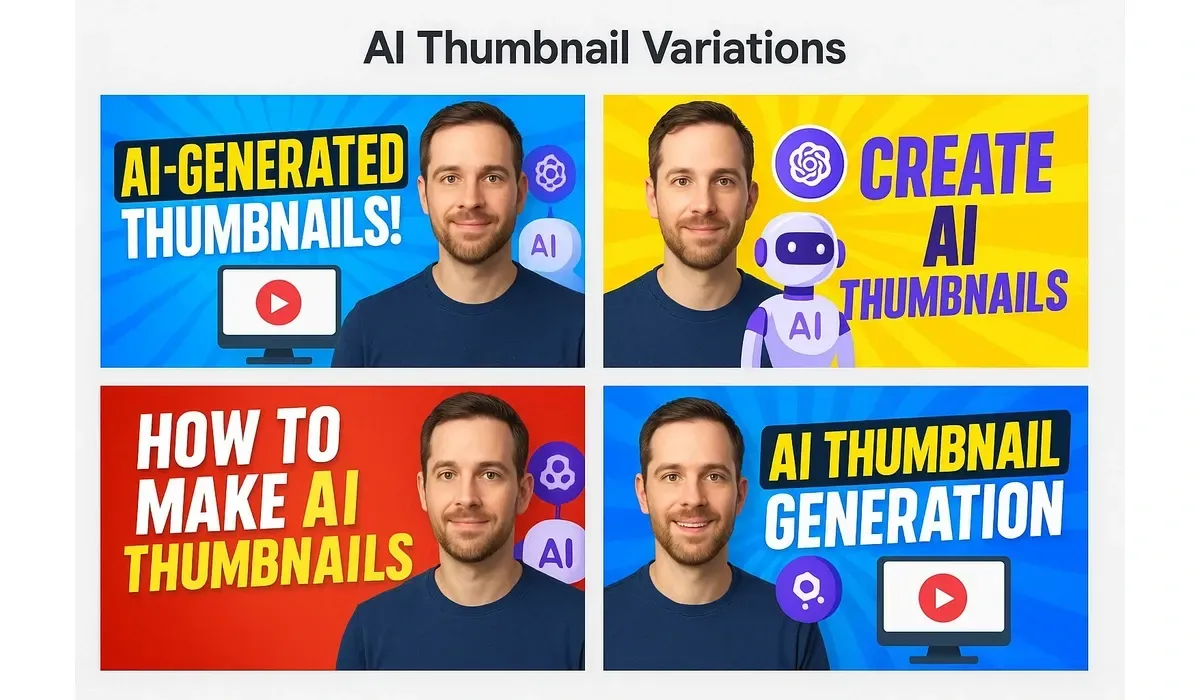
Scrolling through YouTube, TikTok, or Instagram, what makes you stop? The thumbnail.
But creating clickable thumbnails can be time-consuming. This is where ai tools create social thumbnails step in. They promise to save time, reduce design guesswork, and deliver visuals that actually work.
In this article, we’ll explore how these tools function, their benefits, and which options are worth trying in 2025.
Why AI Tools That Auto-Create Social Thumbnails Matter
Content platforms run on attention. A study by HubSpot found that visuals increase engagement by 80% compared to plain text. For creators and marketers, thumbnails act as the billboard of their content.
AI tools help in:
– Understanding what grabs attention.
– Testing multiple variations fast.
– Eliminating hours of manual editing.
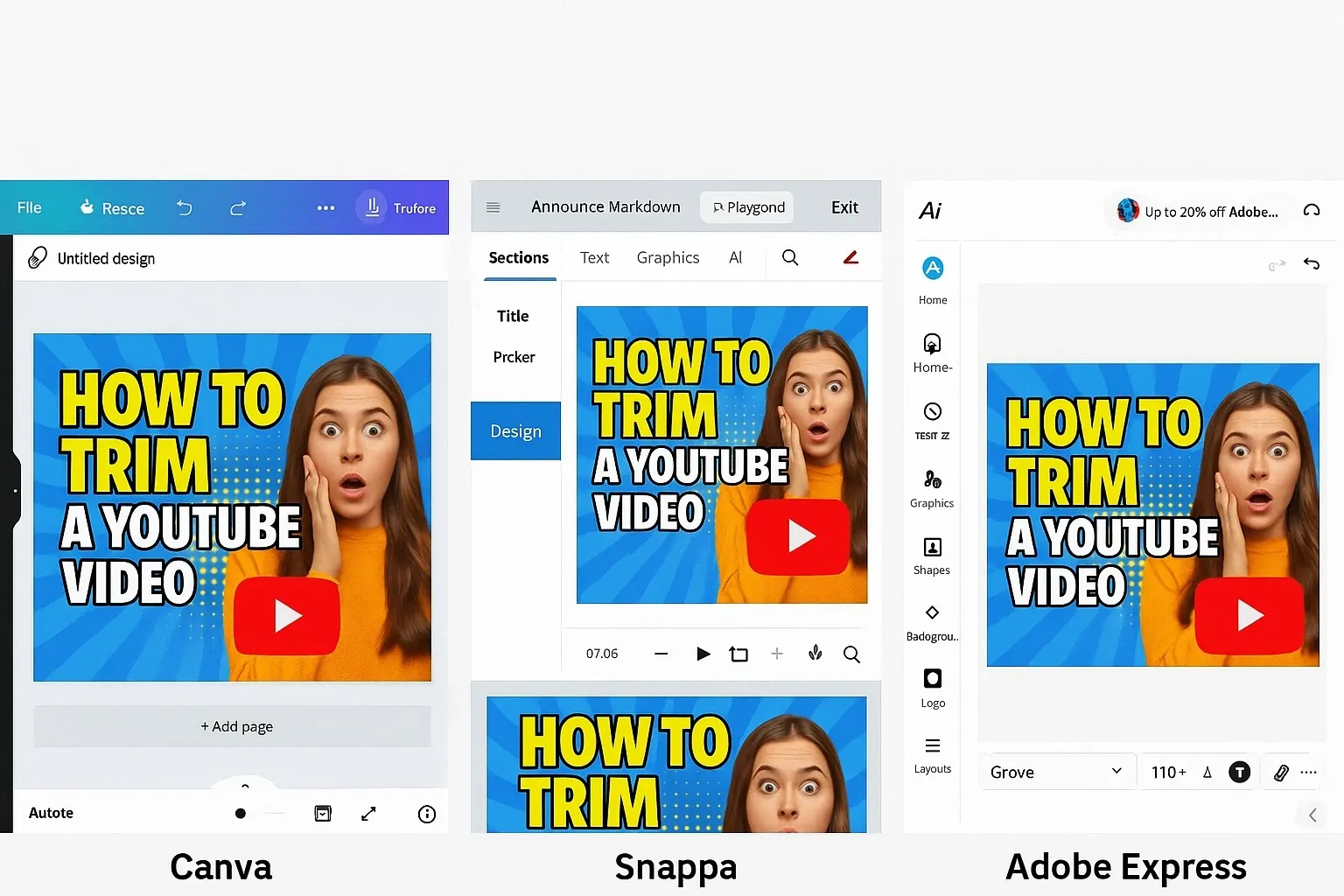
Top ai tools create social thumbnails
1. Canva AI Thumbnail Generator
Canva has integrated AI into its design suite. With one click, it generates multiple thumbnail concepts tailored for YouTube, Instagram, or LinkedIn.
- Pros: Beginner-friendly, drag-and-drop editing, free templates.
- Cons: Watermarks on free plan, advanced features locked behind Pro.
2. Snappa AI
Snappa focuses on speed. Its AI suggests design elements, font styles, and colors based on your content title or script.
- Pros: Lightweight, quick exports, easy team collaboration.
- Cons: Limited template variety compared to Canva.
3. Adobe Express AI Thumbnails
Adobe Express brings professional-grade AI thumbnail creation. It uses Adobe Firefly technology for custom image generation.
- Pros: High-quality, brand consistency features, integrates with Adobe Suite.
- Cons: Requires subscription, learning curve for non-designers.
4. VistaCreate (Crello) AI Designer
VistaCreate automatically adapts thumbnails for multiple platforms at once. Post once, export for YouTube, TikTok, and Instagram.
- Pros: Great for multi-platform creators, affordable pricing.
- Cons: Occasional quality inconsistency in AI image outputs.
5. Simplified AI Thumbnail Maker
Simplified offers AI-driven design suggestions and lets you A/B test thumbnails directly.
- Pros: Perfect for marketers running ad campaigns, real-time collaboration.
- Cons: Best features are in premium plans.
How These AI Tools Work
Most AI thumbnail creators follow a simple workflow:
- Input: Add your video title, description, or script.
- AI Processing: The tool suggests images, backgrounds, and fonts.
- Variants: Get multiple thumbnail drafts in seconds.
- Editing: Fine-tune with drag-and-drop editors.
- Export: Download optimized sizes for YouTube, TikTok, or Instagram.
This process makes design fast, consistent, and data-backed.
Comparing Free vs Paid AI Thumbnail Tools
| Tool | Free Version | Paid Version | Best For |
| Canva AI | Limited exports | Pro templates & brand kits | Beginners & small teams |
| Snappa AI | 5 free downloads/month | Unlimited downloads | Quick solo creators |
| Adobe Express | Watermarked outputs | Full Firefly AI access | Professionals |
| VistaCreate | Limited AI outputs | Multi-platform auto-resizing | Social media managers |
| Simplified AI | Free edits | A/B testing & analytics | Marketers |

Benefits of Using AI Thumbnail Tools
- Save Time: Generate 5–10 designs in seconds.
- Boost Clicks: AI learns which colors and styles get attention.
- Stay Consistent: Brand kits ensure all thumbnails match your identity.
- Test Easily: A/B test variations for better CTR.
Potential Downsides
- Generic Designs: AI outputs can feel repetitive without customization.
- Over-Reliance on AI: Human creativity still matters for unique branding.
- Subscription Costs: Most advanced features require paid plans.
Why It Matters
In 2025, competition on social platforms is higher than ever. AI tools that auto-create social thumbnails help creators stand out fast, but the best results come from combining AI speed with human creativity.
FAQs About AI Tools That Auto-Create Social Thumbnails
Q1. Are AI thumbnail tools free?
Some offer free versions (like Canva and Snappa), but premium features such as A/B testing or unlimited exports often require paid plans.
Q2. Do AI thumbnails really increase clicks?
Yes. Eye-catching thumbnails created with AI can improve click-through rates by 20–30%, especially when tested and optimized.
Q3. Which is the best AI tool for YouTube thumbnails?
Canva AI and Adobe Express are the top choices due to their templates, quality, and professional editing features.
Q4. Can AI tools replace a designer?
Not entirely. While they speed up the process, adding a personal creative touch ensures your thumbnails look original and aligned with your brand.



