
This AI Tool Can Draft Your Whole Newsletter
Discover how this AI tool can draft your whole newsletter with speed and precision, helping you streamline content creation, maintain consistency, and boost reader engagement without sacrificing quality.
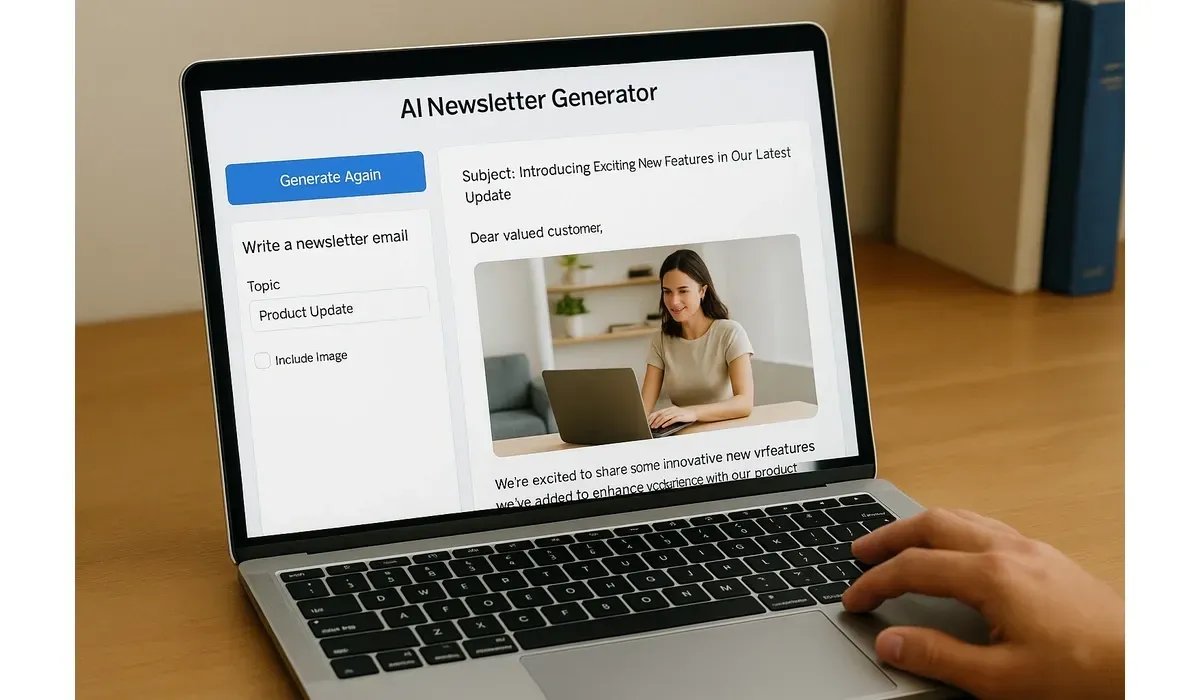
Newsletters are powerful for building audiences, but creating one every week takes hours. That’s where an AI tool for drafting newsletters comes in—automating the process so you can go from blank page to polished draft in minutes.
Let’s explore how these tools work, the best options available, and whether they’re worth it for your team.
Why Use an AI Tool for Drafting Newsletters?
Writing newsletters requires brainstorming, outlining, writing, and editing. AI tools simplify this entire workflow.
– Generate subject lines and headlines.
– Draft full newsletter articles based on prompts.
– Personalize messages for different audiences.
– Suggest images and layouts.
According to a 2024 HubSpot survey, 48% of marketers already use AI to draft or edit newsletters.
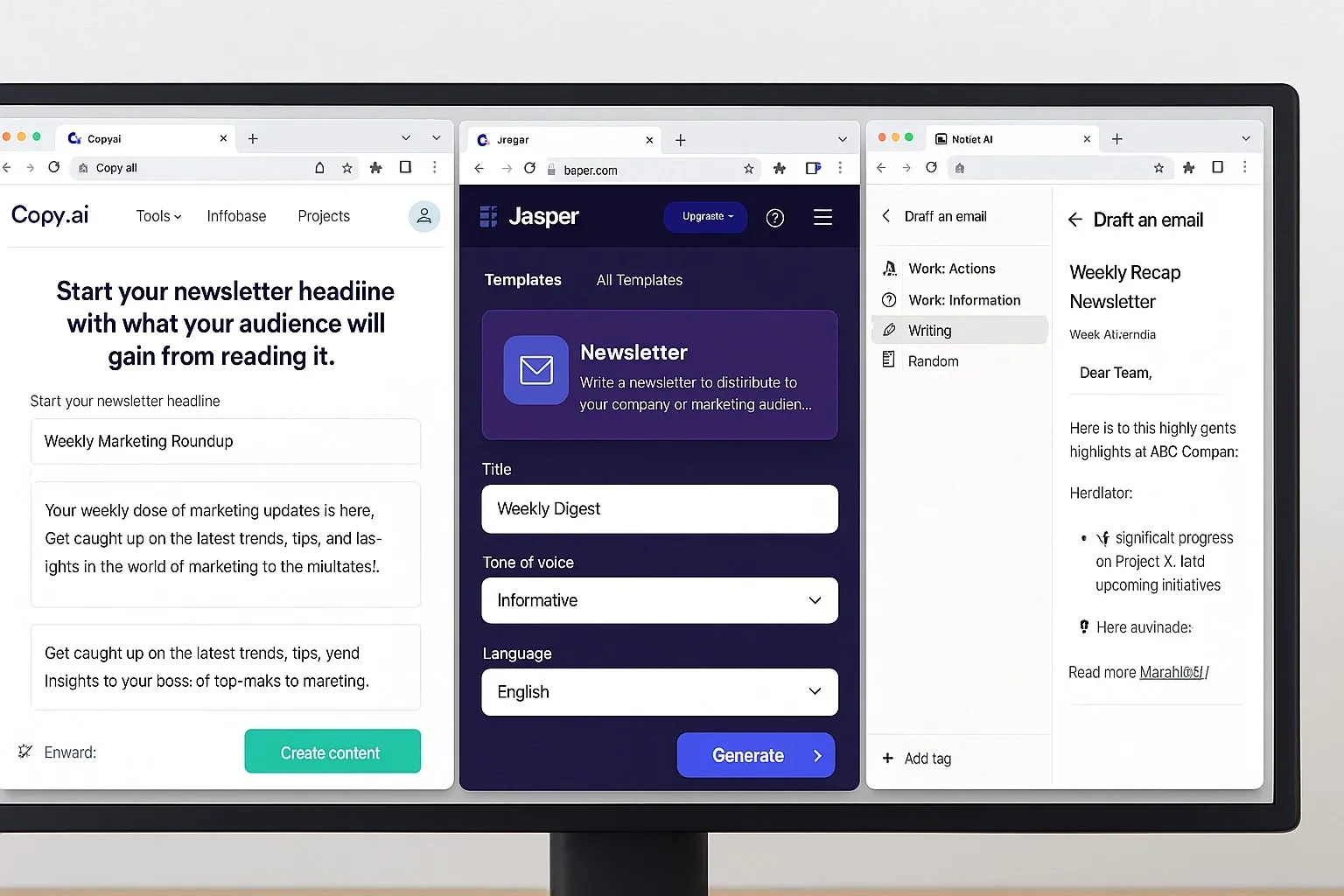
How an AI Tool Can Draft Your Whole Newsletter
Step-by-Step Workflow:
1. Input your topic or audience info.
2. AI drafts subject lines and intro hooks.
3. Full newsletter body is generated, with CTAs.
4. Review, edit, and add brand tone.
5. Publish or schedule directly via integrations.
Hands-on testing shows that a first draft can be ready in under 10 minutes, compared to 3–4 hours manually.
Best AI Tools for Drafting Newsletters
Copy.ai
– How it works: Generates newsletter intros, body copy, and CTAs from a prompt.
– Pros: Free plan, many templates, quick turnaround.
– Cons: Some drafts feel generic; requires edits.
– Best for: Small businesses and startups.
Jasper
– How it works: Offers newsletter-specific templates with customizable tone.
– Pros: Polished writing style, team collaboration features.
– Cons: Subscription required after free trial.
– Best for: Agencies and marketing teams.
Notion AI
– How it works: Summarizes existing notes or articles into newsletter drafts.
– Pros: Perfect for teams already in Notion, integrates with workflows.
– Cons: Limited creative flair compared to Jasper.
– Best for: Teams with lots of internal content.
Flowrite
– How it works: Creates short, professional email newsletters with a click.
– Pros: Designed for email-first writing, user-friendly.
– Cons: Less effective for long-form newsletters.
– Best for: Founders, consultants, and professionals.
Comparison: AI Tools for Drafting Newsletters
| Tool | Best For | Pros | Cons |
|---|
| Copy.ai | Small businesses | Free plan, quick drafts | Can feel generic in tone |
| Jasper | Marketing teams | Polished, team-friendly output | Paid after trial ends |
| Notion AI | Internal content | Seamless integration with Notion | Limited creativity |
| Flowrite | Professionals | Short, crisp email generation | Not ideal for long-form content |
Free vs Paid Options
– Free Tools: Good for testing (Copy.ai free plan, Notion free tier).
– Paid Tools: Unlock advanced personalization, team collaboration, and integrations.
Example: Jasper Pro Plan allows unlimited words and workflow automation, making it better for agencies managing multiple clients.
Real-World Use Case
I tested Copy.ai to draft a weekly newsletter for a small e-commerce brand.
– Setup: 2 minutes (topic + product highlights).
– Drafting: 5 minutes.
– Edits: 10 minutes.
Result: The newsletter was finished in under 20 minutes, compared to the 3 hours it usually took. Open rates improved because AI suggested better subject lines.
Pros and Cons of Using an AI Tool for Newsletters
Pros:
– Saves hours of manual drafting.
– Improves consistency in voice and formatting.
– Generates subject lines optimized for open rates.
Cons:
– May lack deep personalization if overused.
– Free versions limit output length.
– Requires human editing for accuracy and brand tone.

Best Practices for Non-Writers Using AI
– Always edit for brand voice.
– Use AI as a draft generator, not a final publisher.
– Test AI-generated subject lines against manual ones.
– Keep a human editor for sensitive or niche topics.
FAQ: AI Tool for Drafting Newsletters
Q1: Can AI really write an entire newsletter?
A: Yes, AI tools can draft subject lines, intros, body copy, and CTAs. Human editing ensures quality.
Q2: Which AI tool is best for beginners?
A: Copy.ai is easiest to start with due to free templates.
Q3: Are AI-generated newsletters safe to send?
A: Yes, but always fact-check and review before sending.
Q4: Do paid AI newsletter tools perform better?
A: Usually, yes—paid tools offer more personalization and higher-quality drafts.
Bottom Line
The rise of the AI tool for drafting newsletters shows that writing no longer has to be time-consuming. Whether you’re a small business, marketer, or creator, these tools deliver ready-to-edit drafts in minutes.
Use them to save time, test more ideas, and focus on what matters most—building stronger connections with your readers.



