
How AI Is Reshaping Remote Work—Practical Tools to Use
Discover how AI is reshaping remote work with practical tools that automate workflows, improve collaboration, and boost productivity. This concise guide helps teams adopt smarter, more efficient digital habits.


Remote work is no longer just a trend—it’s the new standard for millions worldwide. But managing tasks, communication, and productivity from home can still be a challenge.
That’s where AI remote work tools step in. From automating workflows to improving collaboration, AI is reshaping how we work outside the office.
What Is AI Remote Work?
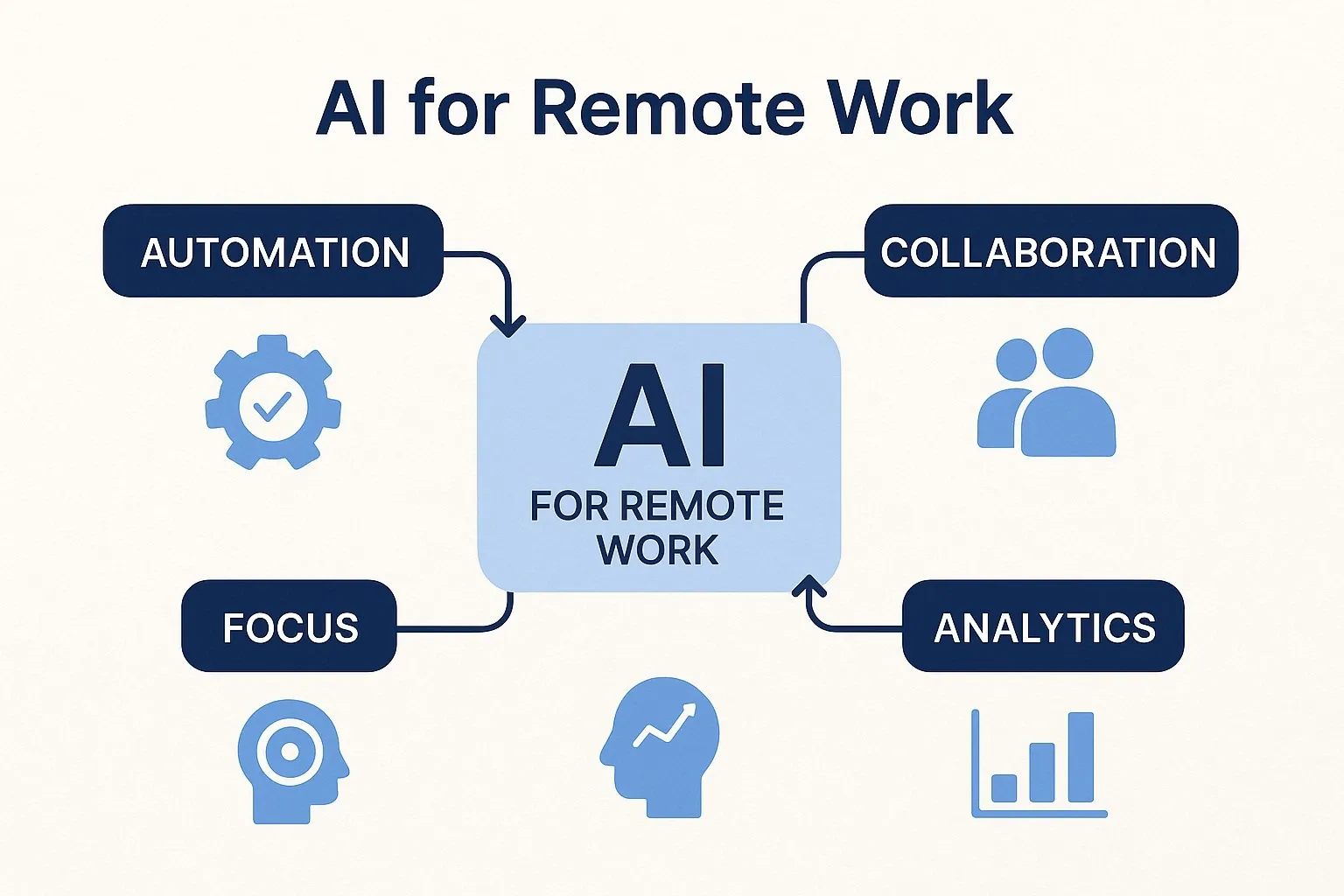
AI remote work refers to using artificial intelligence tools to support remote teams by reducing manual tasks, boosting productivity, and enabling smarter decision-making.
Instead of juggling endless apps, AI integrates with your workflow to:
– Automate scheduling and meeting notes
– Improve focus by blocking distractions
– Summarize conversations and documents
– Provide smart insights into performance
A report by Microsoft shows that 70% of workers want AI to reduce their workload, highlighting the growing demand for AI-driven solutions.
Practical AI Remote Work Tools
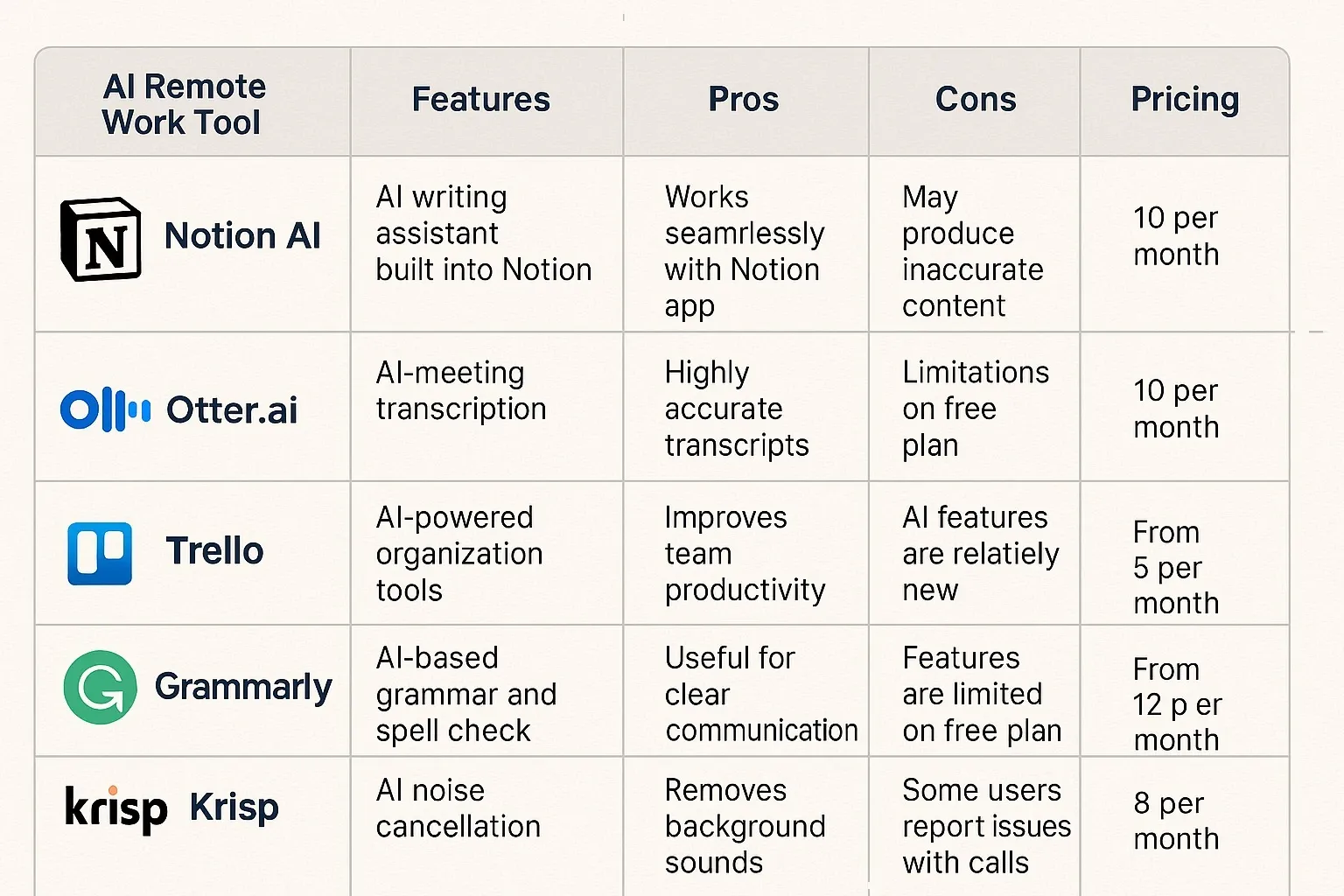
Notion AI
How it works: Notion AI helps remote teams summarize documents, brainstorm ideas, and automate note-taking.
Pros:
- Great for project management
- AI summaries save time
- Integrated with collaborative workspaces
Cons:
- Can feel overwhelming for beginners
- AI outputs sometimes need refining
Free vs Paid: Notion offers a free plan; AI features start at $8/month per user.
Otter.ai
How it works: Otter.ai transcribes meetings in real-time and creates smart summaries for distributed teams.
Pros:
- Accurate transcription
- Real-time collaboration during meetings
- Integrates with Zoom and Google Meet
Cons:
- Requires internet connection
- Transcription may miss niche terms
Free vs Paid: Free basic plan available; Pro starts at $16.99/month.
Trello with Butler AI
How it works: Trello’s Butler AI automates repetitive tasks in task boards, like moving cards or setting deadlines.
Pros:
- Easy to set up
- Automates task workflows
- Saves time for managers
Cons:
- Limited to Trello ecosystem
- Advanced automation requires premium plan
Free vs Paid: Free plan available; Premium costs $12.50/month per user.
Grammarly Business
How it works: Grammarly uses AI to improve writing clarity, tone, and correctness across emails and reports.
Pros:
- Improves professional communication
- Detects tone mismatches
– Works across multiple platforms
Cons:
- Best for text-heavy work
- Premium version required for tone and style features
Free vs Paid: Free plan with basics; Business plan starts at $15/month per user.
Krisp.ai
How it works: Krisp uses AI to remove background noise from calls, ensuring smooth communication for remote workers.
Pros:
- Real-time noise cancellation
- Works with all major conferencing apps
- Enhances remote professionalism
Cons:
- Requires stable internet
- Free minutes limited
Free vs Paid: Free tier available; Pro plan costs $8/month.
Step-by-Step: How to Integrate AI Remote Work Tools
1. Identify pain points (communication gaps, manual tasks, distractions).
2. Choose the right tool (Notion for docs, Otter for meetings, Krisp for calls).
3. Start with automation (set rules in Trello, use AI summaries in Notion).
4. Train your team on how to use the tools effectively.
5. Measure productivity improvements over time.
Mini Comparison: Best for Each Category
– Best for Project Management: Notion AI
– Best for Meetings: Otter.ai
– Best for Workflow Automation: Trello with Butler
– Best for Communication: Grammarly Business
– Best for Calls: Krisp.ai
FAQs: AI Remote Work
Q: What is the best AI remote work tool for meetings?
A: Otter.ai is the best for real-time transcription and meeting summaries.
Q: Can AI remote work tools replace managers?
A: No. They assist by automating tasks and providing insights, but human leadership is still essential.
Q: Are AI remote work tools free?
A: Yes, many have free versions, but advanced features like AI summaries or automation require paid plans.
Q: How much time can AI remote work tools save?
A: On average, AI tools can save 2–5 hours per week per employee, according to productivity reports.
Bottom Line
AI remote work is no longer optional—it’s becoming essential. With tools like Notion, Otter.ai, Trello, Grammarly, and Krisp, remote teams can cut distractions, boost collaboration, and save hours every week.
The future of remote work isn’t just about flexibility—it’s about working smarter with AI.



